Your Personal AI Agent on a Short Leash
I recently caught myself thinking: we've all accumulated subscriptions to ChatGPT, Claude, and other cloud services, but in reality we're just guests there. Your data, chat history, and prompts live somewhere on someone else's servers. What if you want to build your own "Iron Man" that can browse files, search Google, and doesn't require setting up a data center at home?
I came across nanobot. It's an open-source engine for creating personal AI agents. The project stands out because it's not trying to be an "OpenAI killer." Instead, it's a lightweight layer that combines your favorite models, messengers, and local tools into a single working system.
What Is It Anyway
In short, nanobot is an agent execution environment. The authors focused on keeping the core small and readable. Instead of building complex abstractions, they gave developers ready-made "rails": WebUI, chat integrations (Telegram, Discord, Slack), memory management, and tools.
The project is written in Python and requires version 3.11+. It already has over 45,000 stars on GitHub, which is a serious number for a specialized tool.
How It's Useful in Practice
The main problem with most AI agents is that they're "disposable." You ask a question, get an answer, and the context is lost. nanobot solves this through long-lived sessions and goals.
Agent in Your Messenger
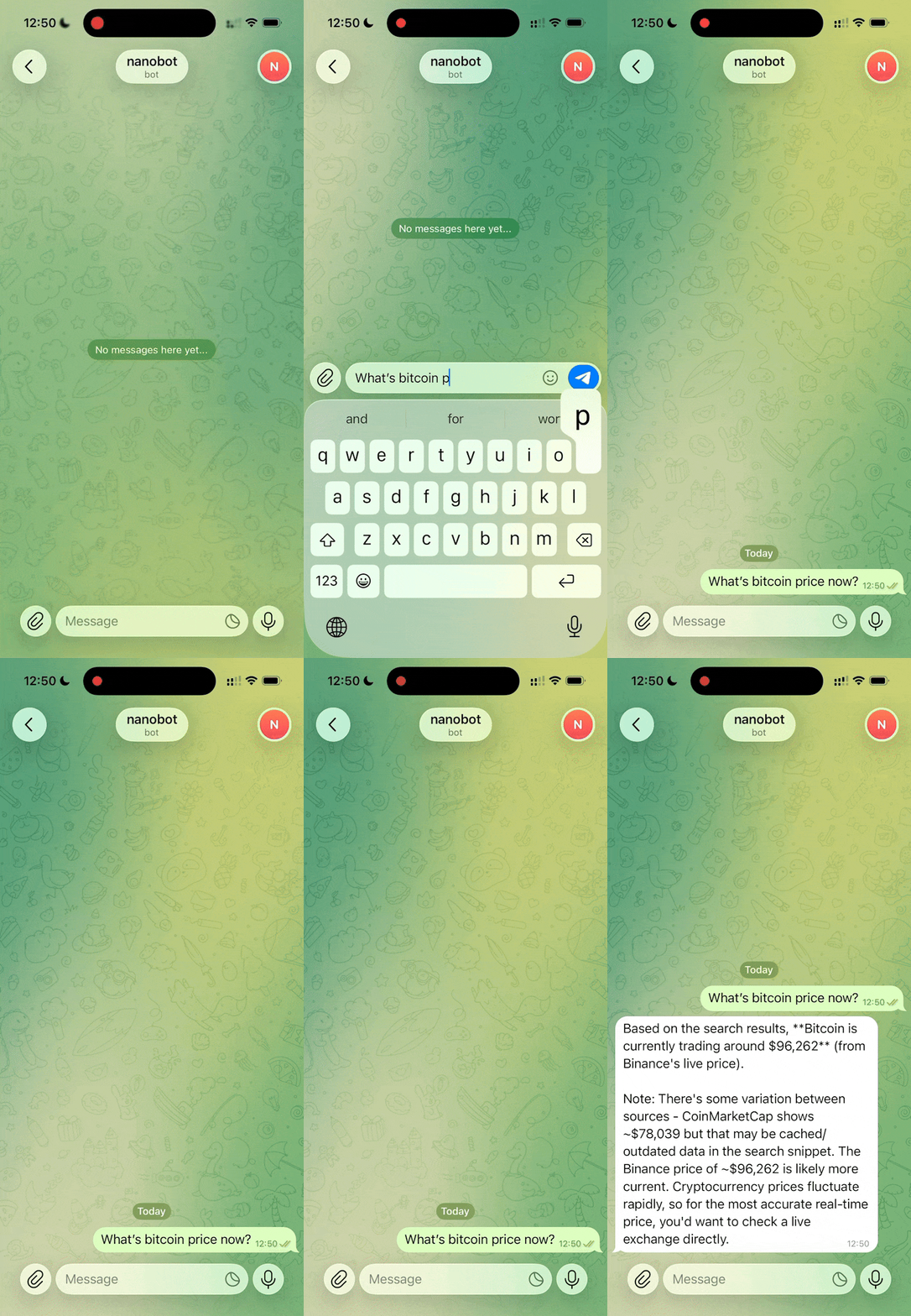
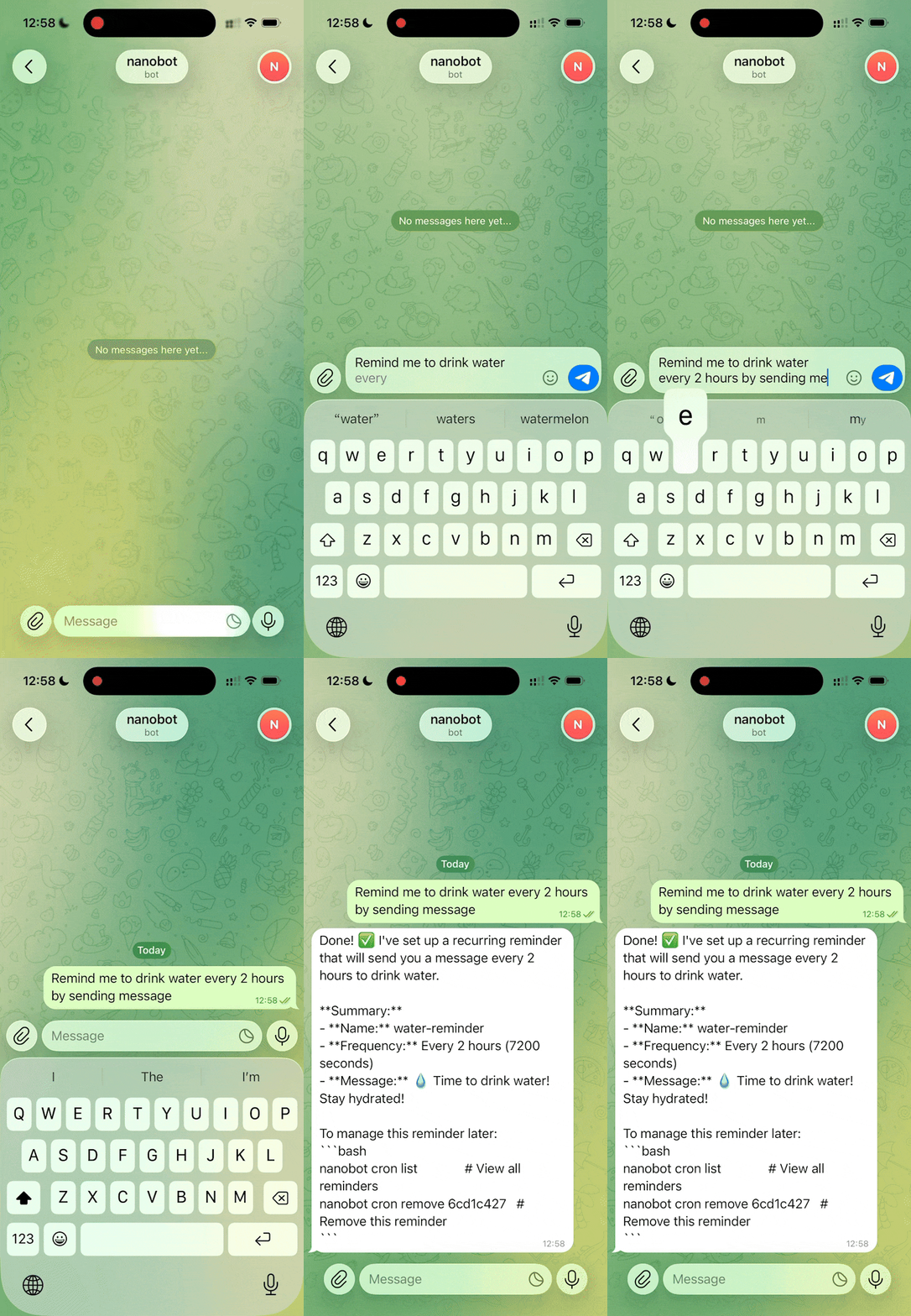
Instead of opening a browser tab every time, you can hook nanobot up to Telegram or WeChat. It's not just an auto-responder bot. It has access to your workspace (files, scripts). You can send it a PDF in Telegram and ask it to summarize it or find a bug in code sitting locally in your project folder.
Working with Tools and MCP
The project supports the Model Context Protocol (MCP). This means the agent can use external tools: search Google, execute shell commands, generate images, or even call other sub-agents to solve subtasks.
Memory That Doesn't Erase
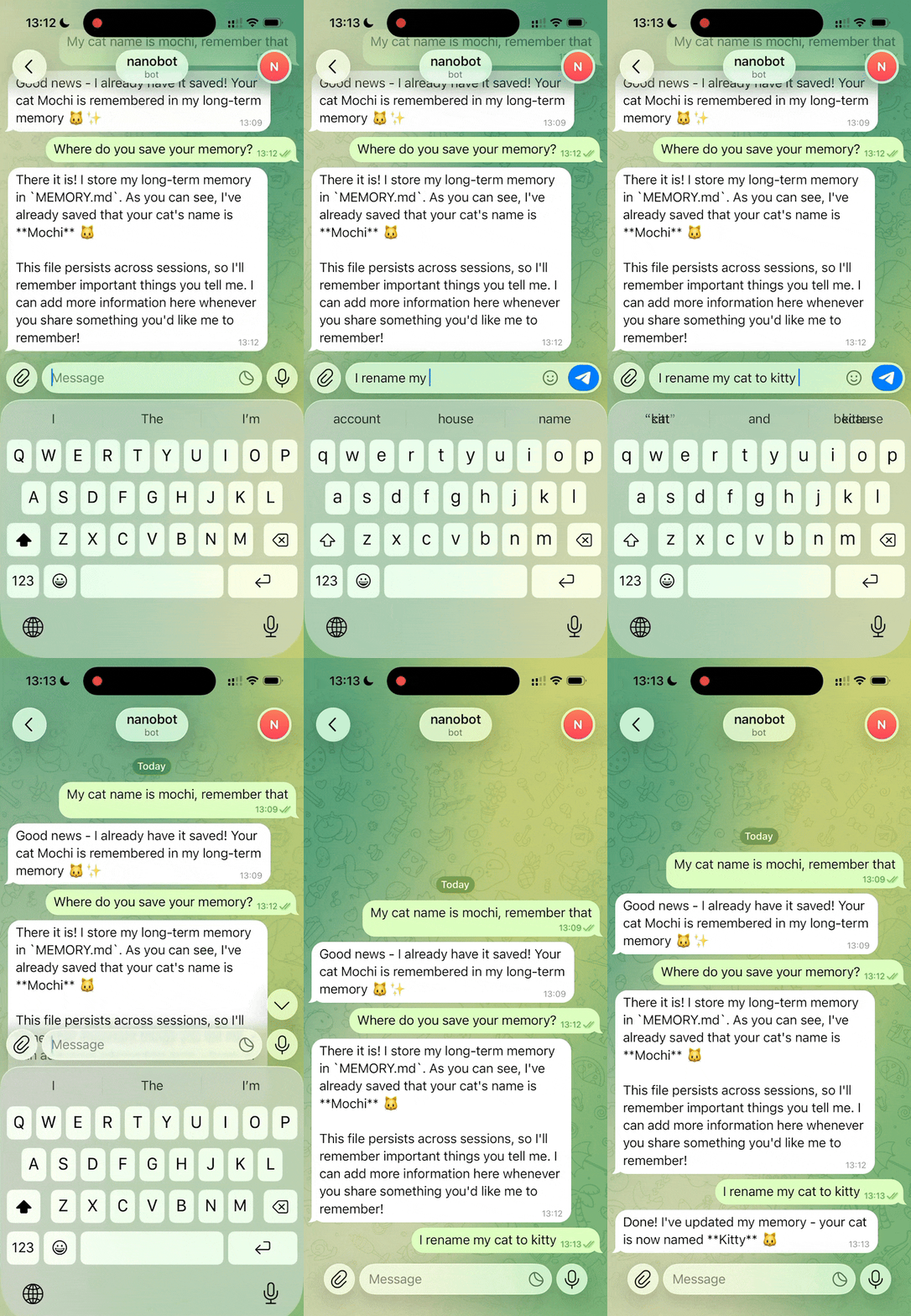
nanobot has a Dream mechanism for long-term memory. The agent remembers the context from past sessions. If you discussed the project architecture a week ago, it won't ask "what are we writing this in?" again.
Market Analysis |
Code Writing |
Task Manager |
Knowledge Base |
|---|---|---|---|
|
|
|
How the Architecture Works
At the center of everything is a small agent loop. Messages come in from communication channels, the LLM decides if it needs a tool, and memory is pulled in as context. The developers deliberately avoided heavy orchestration frameworks so the system can be easily customized to your needs.
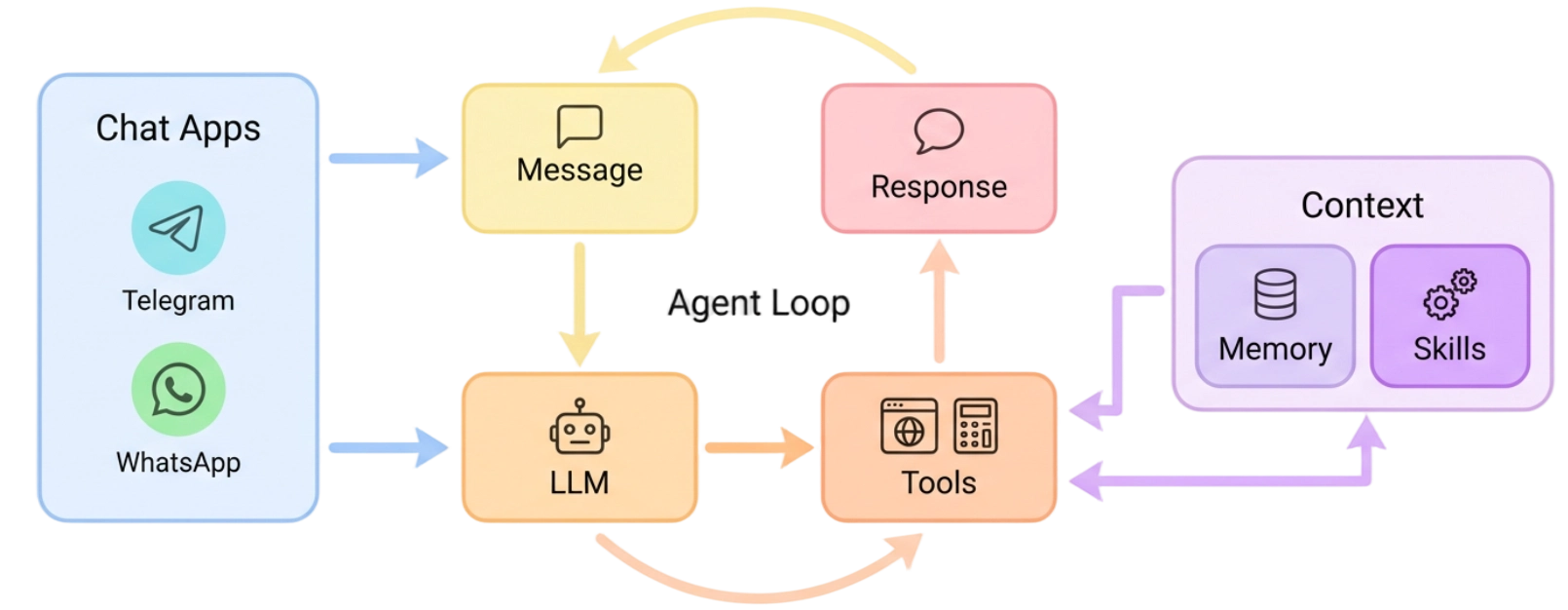
The model handling is implemented nicely. You're not locked into a single provider. You can configure a primary model (for example, Claude 3.5 Sonnet) and set up a fallbackModels in case the main provider's API goes down or hits rate limits. Any OpenAI-compatible endpoints are supported, including local Ollama or vLLM.
How to Launch and Configure
The fastest way to try it out is to install via uv or regular pip:
uv tool install nanobot-ai
# или
python -m pip install nanobot-ai
After installation, run the interactive setup wizard:
nanobot onboard --wizard
The config lives in ~/.nanobot/config.json. Everything there is intuitive: you add your API keys, select a model, and specify the workspace path. The workspace is a folder the agent will have access to. Security is top priority here: the agent won't snoop into your system folders unless you add them yourself.
For those who prefer a graphical interface, there's a built-in WebUI:
nanobot gateway
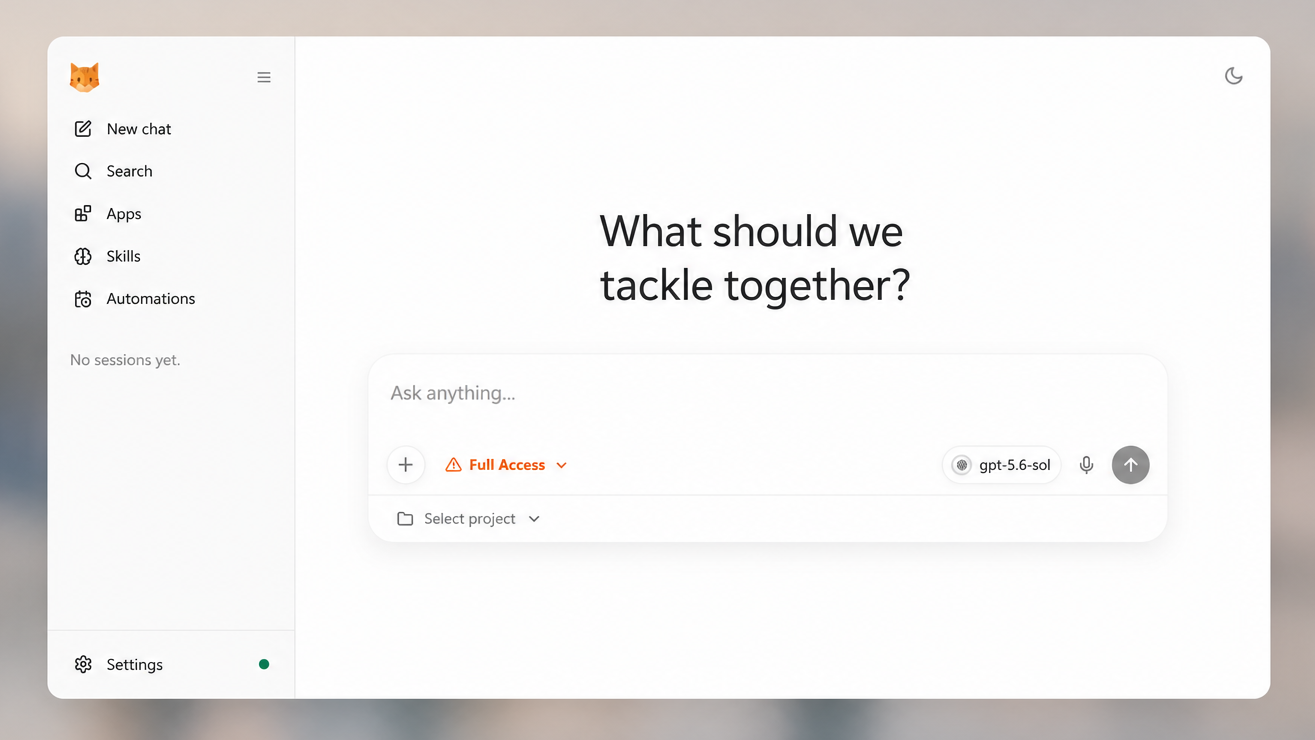
Open http://127.0.0.1:8765 and you get a full working environment with chats, tool execution logs, and automation management.
Who Will Find This Useful
The project is perfect for anyone who wants to automate routine tasks but isn't ready to hand over their data to closed corporate systems.
For example, if you're:
- A developer who needs an AI assistant with terminal access to local code.
- A researcher building a knowledge base from hundreds of documents.
- An automation enthusiast who wants to run scheduled tasks (cron) through AI.
nanobot wins you over with its transparency. You see every step the agent takes, every tool call, and you can fix its logic at any moment by simply changing a few lines in a Python script or config. It's a great building block for those who've outgrown regular chatbots and want something more tangible and controllable.
Related projects