PdfDing and Taming the Endless PDF Chaos
Most of us have a Downloads folder or home server where hundreds of PDFs accumulate over the years. Technical documentation, systems programming books, receipts, contracts, scans, and research papers. Usually, finding the right paragraph in such a mess becomes a nightmare: one file is open in browser preview, another is downloaded to a tablet, and your notes are left on your work laptop.
If you've ever used linkding for bookmarks, the concept will feel familiar. Developer mrmn2 drew inspiration from it to create PdfDing — a lightweight self-hosted all-in-one solution for reading, cataloging, and editing PDFs directly through a web interface.
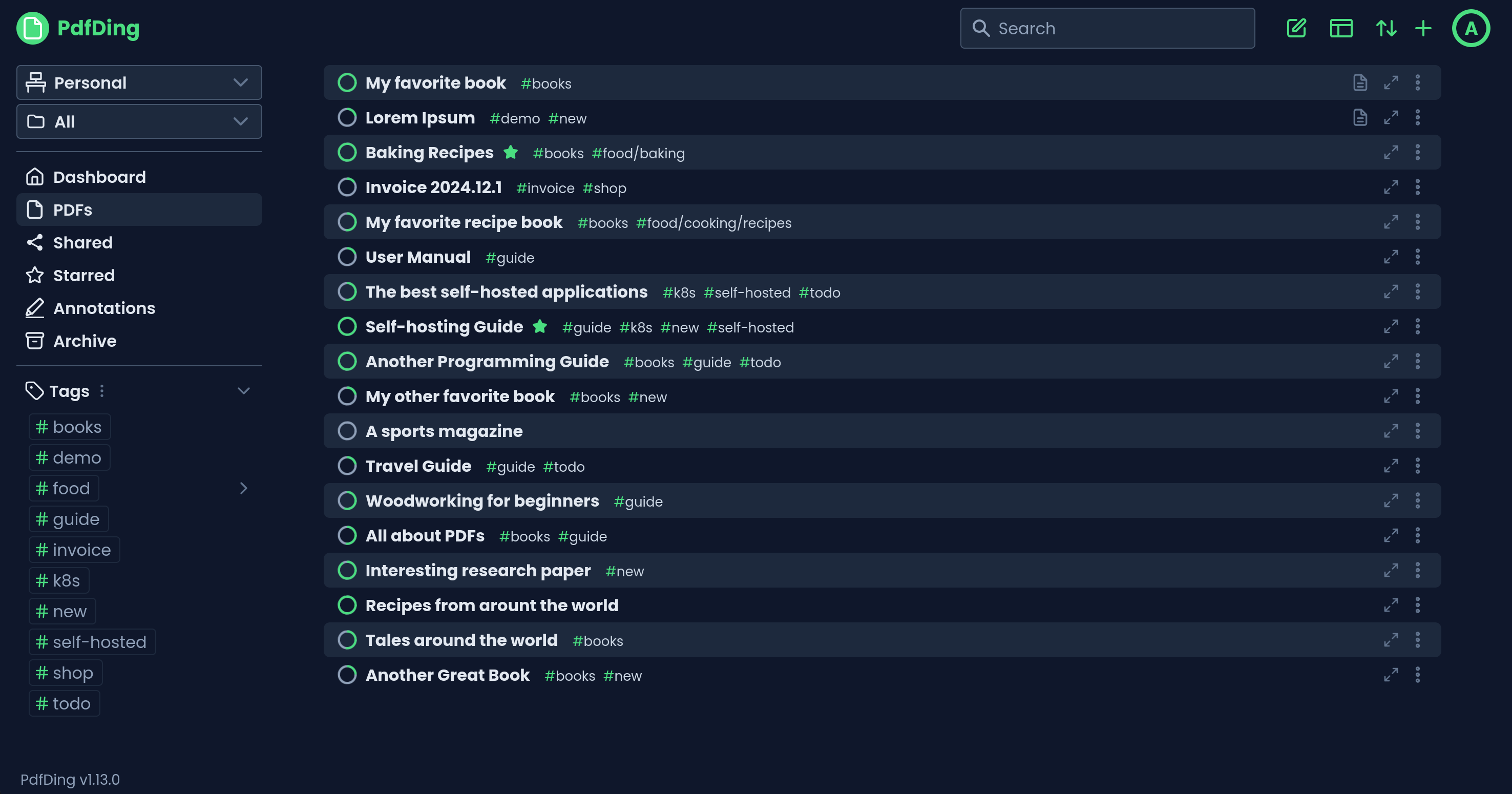
What the service can do
PdfDing solves a simple problem: it provides a single entry point for all your documents with state synchronization across devices. You open a book on your desktop, close the tab, and in the evening continue reading from the same page on your phone.
The project covers basic document management needs without bloated enterprise functionality.
Reading and synchronization
The reader's main feature is progress tracking. The interface shows clear progress bars for each file, so you can immediately see which manual is half-read and which one you haven't even touched yet.
For comfortable reading, the author added:
- Dark theme
- Color inversion mode for old white-background scans
- Multiple page layout options for different screens
- Notes panel with Markdown support right alongside the document
Annotations and signatures
PdfDing includes a full-featured markup editor. You can highlight text with a marker, draw hand-drawn diagrams in the margins, and insert text blocks.
A separate plus is signature handling. You save your signature in your profile once, and then you can quickly stamp it onto contracts and invoices from any authorized device. All comments and highlights are collected in a separate panel, from which they can be exported without uploading the heaviest source file.
Catalog organization
When documents exceed a hundred, a flat list stops working. In PdfDing, you can build the structure to suit your needs:
- Workspaces for separating personal and work files
- Nested collections
- Multi-level tags
- Favorites and archive for outdated versions
Bulk actions are available for mass operations. You can select twenty reports from last quarter and send them to the archive or apply a common tag in a couple of clicks.
Sharing and security
If you need to show a document to a colleague or client, there's no need to forward the file via messenger. In the app, you can generate a public link or QR code for a specific document or an entire collection. Access can be password-protected or time-limited if needed.
From a security perspective, everything is also in order:
- SSO support via OIDC protocol
- Two-factor authentication via TOTP codes
- Hardware keys and biometrics via WebAuthn standard
How it works under the hood
Python powers the project under the hood. The author didn't overload the system with microservices complexity, opting for a monolithic architecture that deploys easily on a modest VPS or home Raspberry Pi.
By the way, the development received financial support from the European NGI0 Commons Fund (Next Generation Internet program by NLnet). That's a good sign: the author has resources to develop the codebase, and the project won't be abandoned a month after release.

How to run it yourself
The easiest way is to spin up the service via Docker Compose. Create a standard manifest:
services:
  pdfding:
    image: mrmn/pdfding:latest
    container_name: pdfding
    restart: unless-stopped
    ports:
      - "8080:8080"
    volumes:
      - ./data:/app/data
    environment:
      - SECRET_KEY=your-super-secret-key-change-me
After running docker compose up -d, the web panel will be available on port 8080. For production use, you'll just need to route traffic through Nginx Proxy Manager, Traefik, or Caddy with an SSL certificate.
For clusters, the documentation includes ready-made Helm charts, so deployment in Kubernetes won't be a problem either.
Who will find it useful
PdfDing is unlikely to replace heavy document management systems like Paperless-ngx if you need automatic text recognition (OCR), complex incoming mail processing pipelines, and barcode parsing.
But if you're looking for a clean, fast reader and catalog for books, documentation, manuals, and contracts with the ability to quickly jot down a signature from a tablet, this project is a perfect fit. You can try the interface before installing on the official demo.
Related projects