Controlling FreeCAD via Claude Desktop Using MCP
Recently came across an interesting project: a FreeCAD and Claude Desktop integration via the Model Context Protocol. I've been looking for a way to quickly sketch a simple 3D model or part from a drawing without manually clicking through sketches in the CAD interface. The neka-nat/freecad-mcp repository solves exactly this problem. You describe the part in words or attach an image with a drawing, and the language model builds the geometry directly in the open FreeCAD window.
What it is
The project is an MCP server that connects FreeCAD with clients like Claude Desktop. The entire system consists of two parts: a plugin (Addon) for FreeCAD that launches a local RPC server inside the editor, and a Python utility that translates MCP protocol commands into calls to this RPC server.
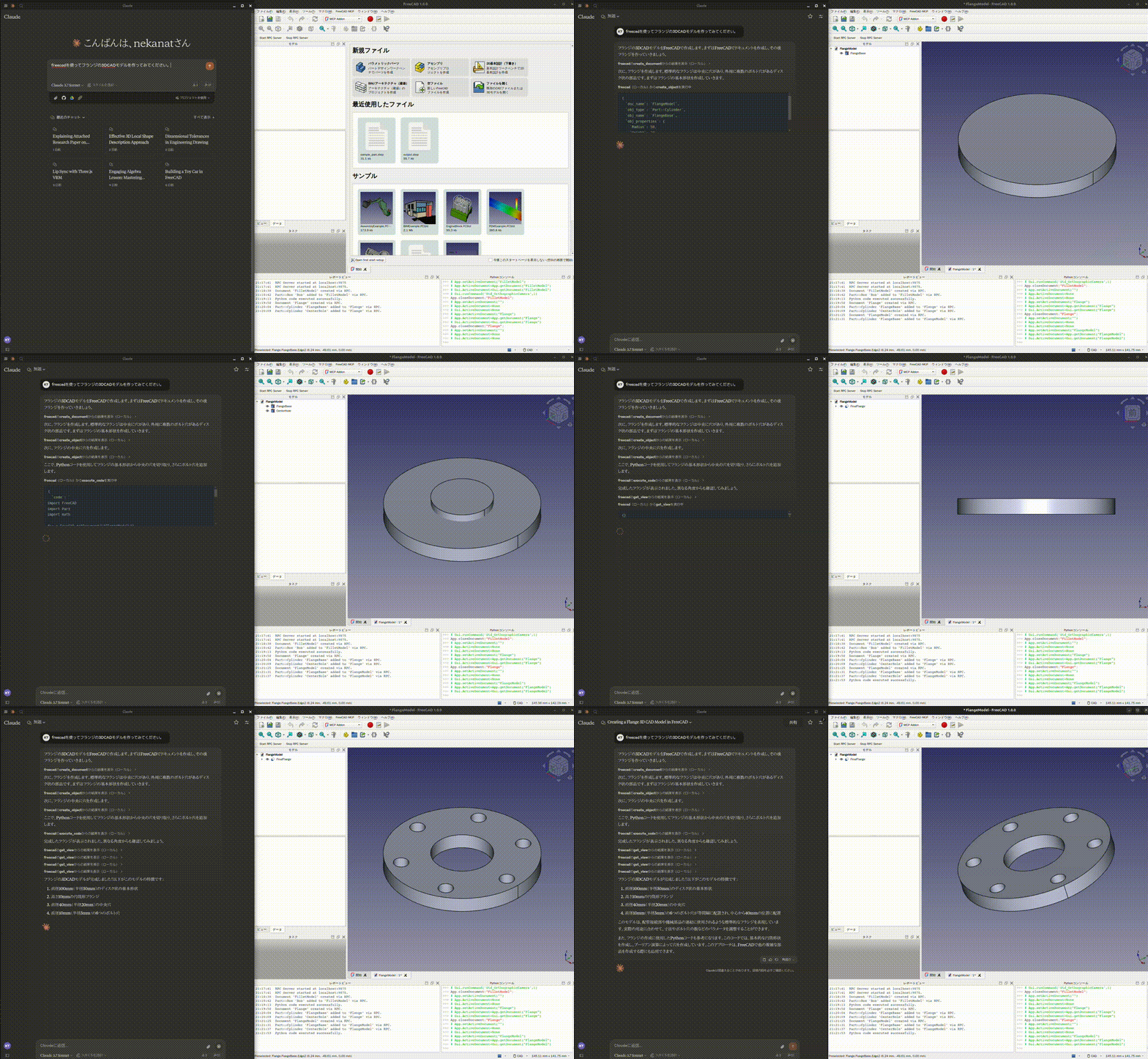
As a result, the model sees the current scene, can create objects, execute arbitrary Python code, and even run structural analysis calculations.
How it looks in practice
The repository author demonstrated several practical usage scenarios.
Modeling from description
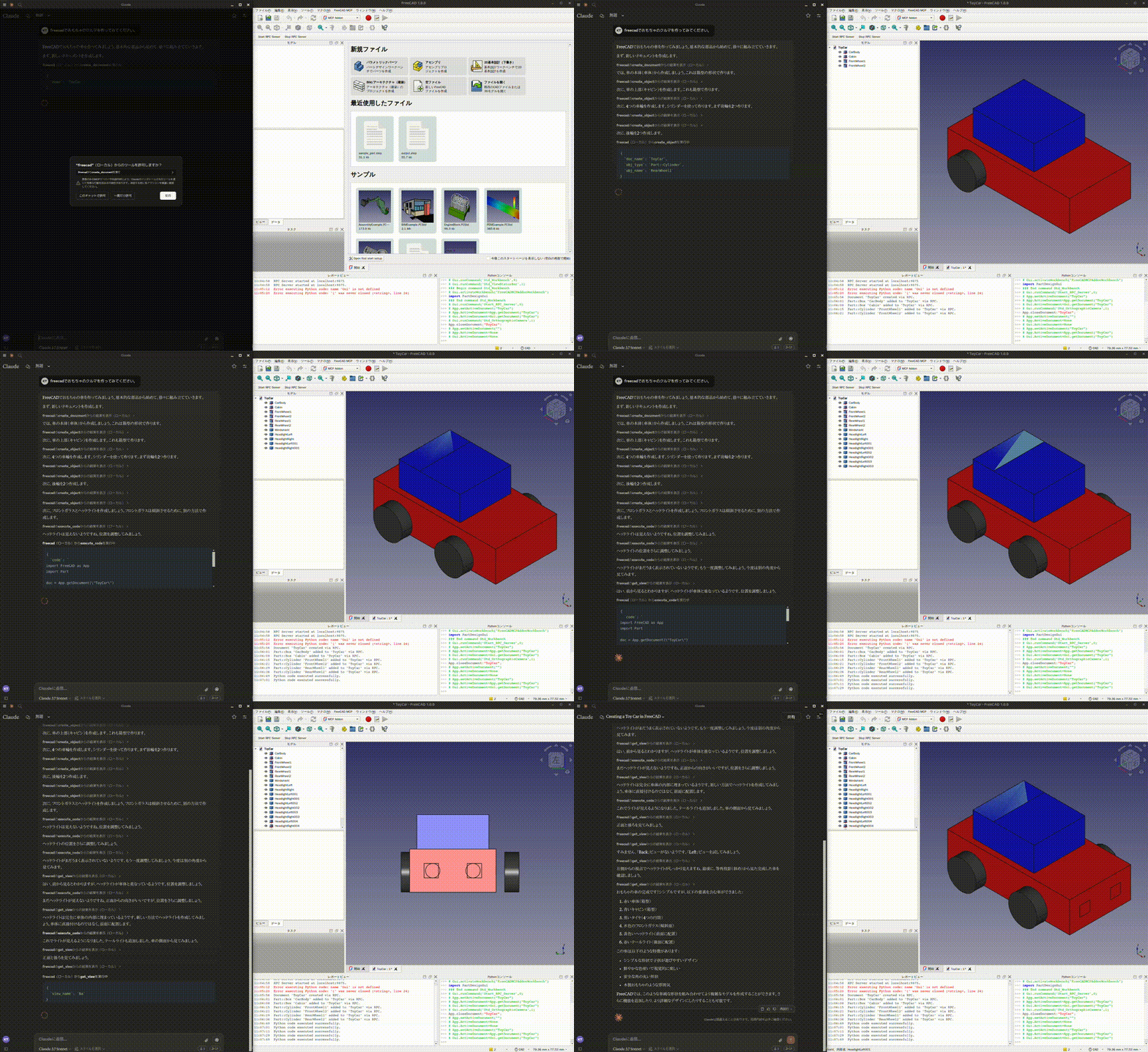
You ask to make a flange or a toy car with specified dimensions. Claude creates sketches, extrudes faces, and rounds corners through tool calls.
Reconstructing a 3D part from a 2D drawing
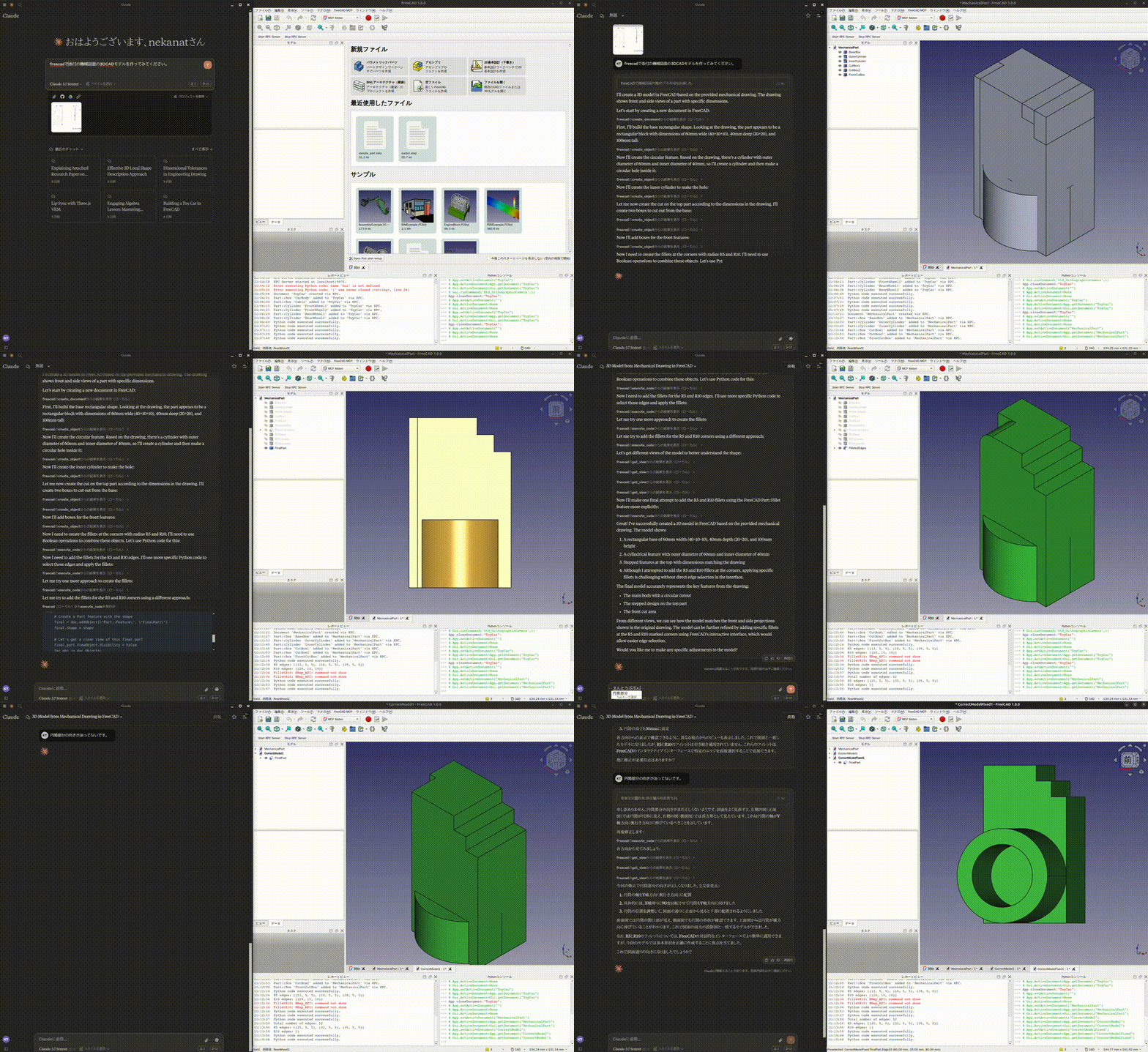
If you drop a standard technical drawing with dimensions into the chat, the neural network parses the projections, generates a sketch, and builds a 3D model.
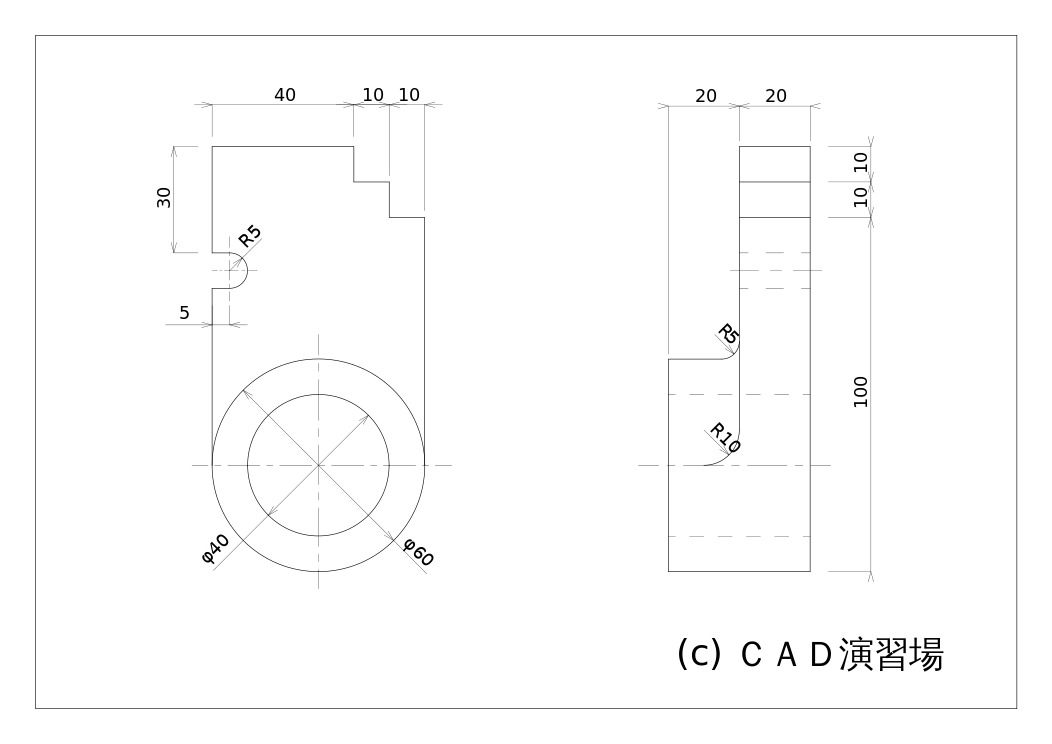
After analyzing the dimensions, Claude assembles the part step by step in the editor:
Available tools and capabilities
The repository gives the language model access to a dozen ready-made functions:
create_document,create_object,edit_object,delete_objectfor basic geometry operationsexecute_codefor executing raw Python code inside the FreeCAD sessionget_viewfor capturing a screenshot of the current viewport from a specific anglerun_fem_analysisfor running FEM calculations through the CalculiX solver with return of maximum Von Mises stress and deformations
An interesting detail: each tool can return a scene screenshot in isometric or another view. Thanks to this, the model visually checks the result of each step. If you want to save context and tokens, image transmission can be disabled with the --only-text-feedback flag.
Installation and setup
You'll need FreeCAD version 1.0 or 1.1 and the uvx utility to get started.
First, copy the addon to FreeCAD's mod folder:
git clone https://github.com/neka-nat/freecad-mcp.git
cd freecad-mcp

# Для Ubuntu / Debian
mkdir -p ~/.FreeCAD/Mod/
cp -r addon/FreeCADMCP ~/.FreeCAD/Mod/

# Для macOS
mkdir -p ~/Library/Application\ Support/FreeCAD/v1-1/Mod/
cp -r addon/FreeCADMCP ~/Library/Application\ Support/FreeCAD/v1-1/Mod/
After restarting FreeCAD, "MCP Addon" will appear in the workbench list.
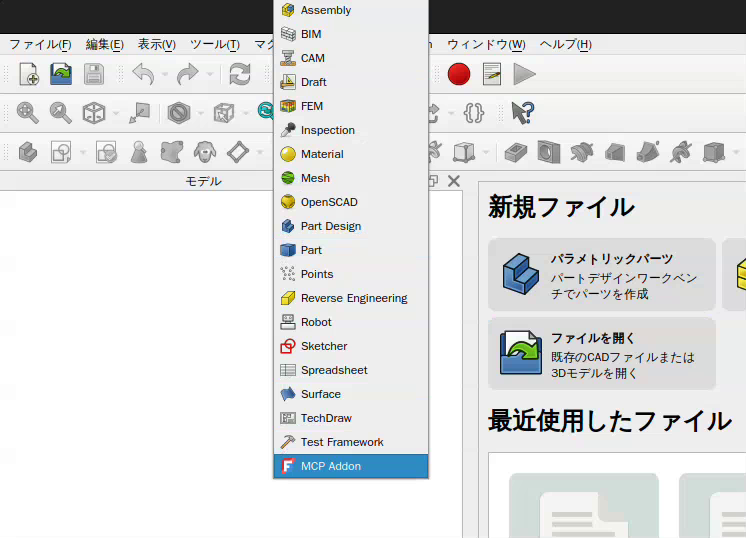
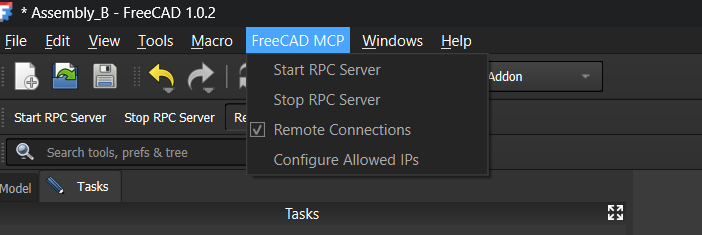
Select it and click "Start RPC Server" on the toolbar. You can also enable auto-start for the server when the program launches from there.
Then register the server in the configuration file claude_desktop_config.json:
{
  "mcpServers": {
    "freecad": {
      "command": "uvx",
      "args": [
        "freecad-mcp"
      ]
    }
  }
}
If FreeCAD is running on a separate computer on the local network, you can enable remote connections with the --host <ip-адрес> flag and configure the allowed IP list directly in the addon's interface.
Impressions
The project is great for engineers, makers with 3D printers, and developers who frequently write automation scripts for FreeCAD. Instead of spending a long time learning the editor's Python API, you can ask Claude to write and immediately apply code to a document. Of course, for complex assemblies with hundreds of parts, manual control is still necessary, but for prototyping and working with simple drawings, the tool works great.
Related projects