How to Turn a Mountain of Chaotic Documents into Rigorous Knowledge Graphs
Recently I came across a utility that solves one of the most tedious tasks in working with large language models. It's about parsing raw text into predictable formats without writing kilometer-long prompts.
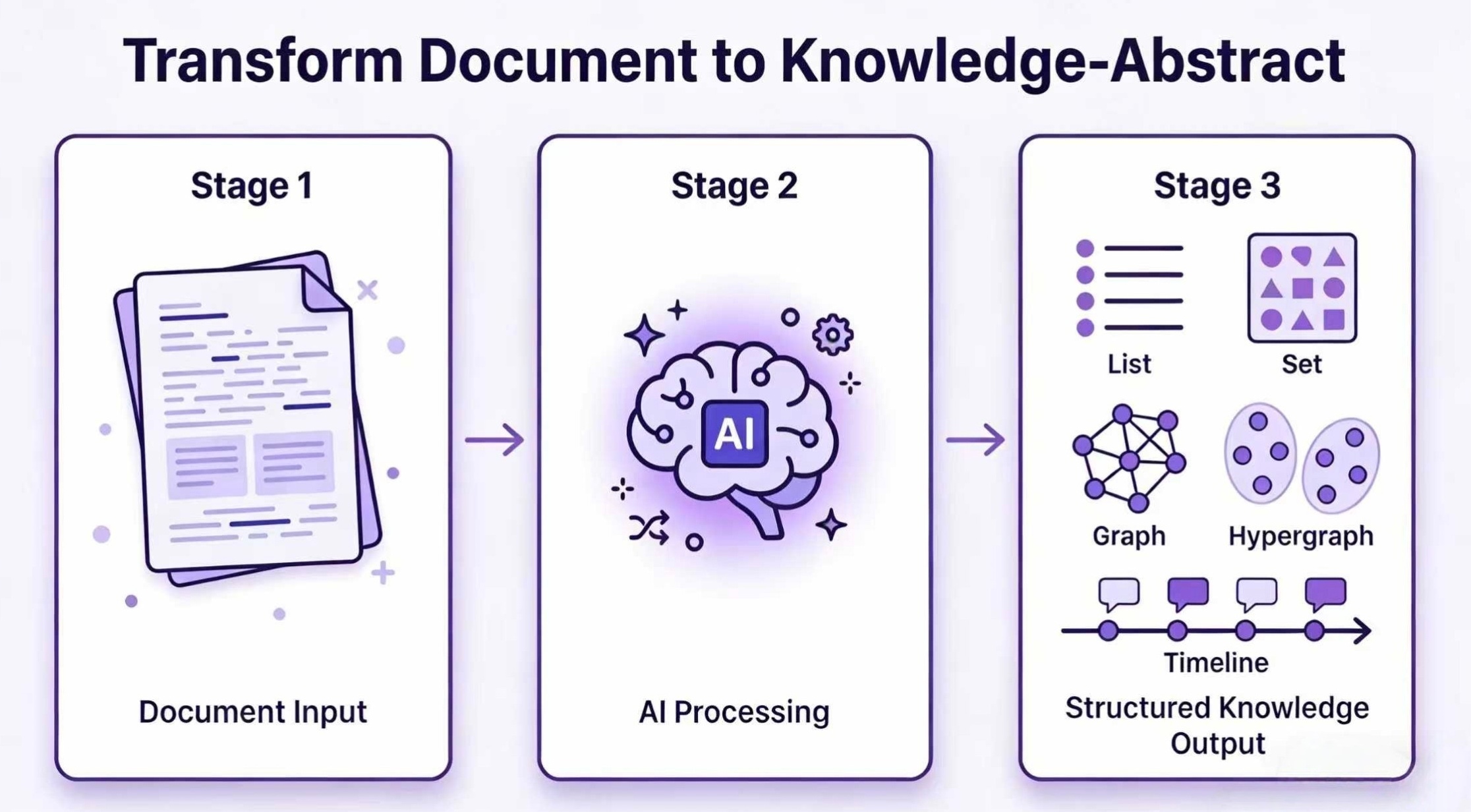
The project is called Hyper-Extract. It's a CLI utility and Python library designed to turn unstructured files into typed data structures: from familiar lists and Pydantic models to hypergraphs and spatiotemporal relationships.
What's Wrong with Standard RAG
A typical naive RAG with chunking text into 500-token pieces and vector database search often produces a mess. Complex relationships between entities get lost, and the context of events over time becomes blurred. When you try to feed a financial report or scientific paper to a model, flat vector search rarely gives an accurate picture of interconnections.
Frameworks like GraphRAG or LightRAG tried to fix this, but integrating them into your projects from scratch can be a hassle. The author of Hyper-Extract decided to package knowledge extraction engines into a compact command-line utility and library with ready-made templates.
What's Inside and How It Works
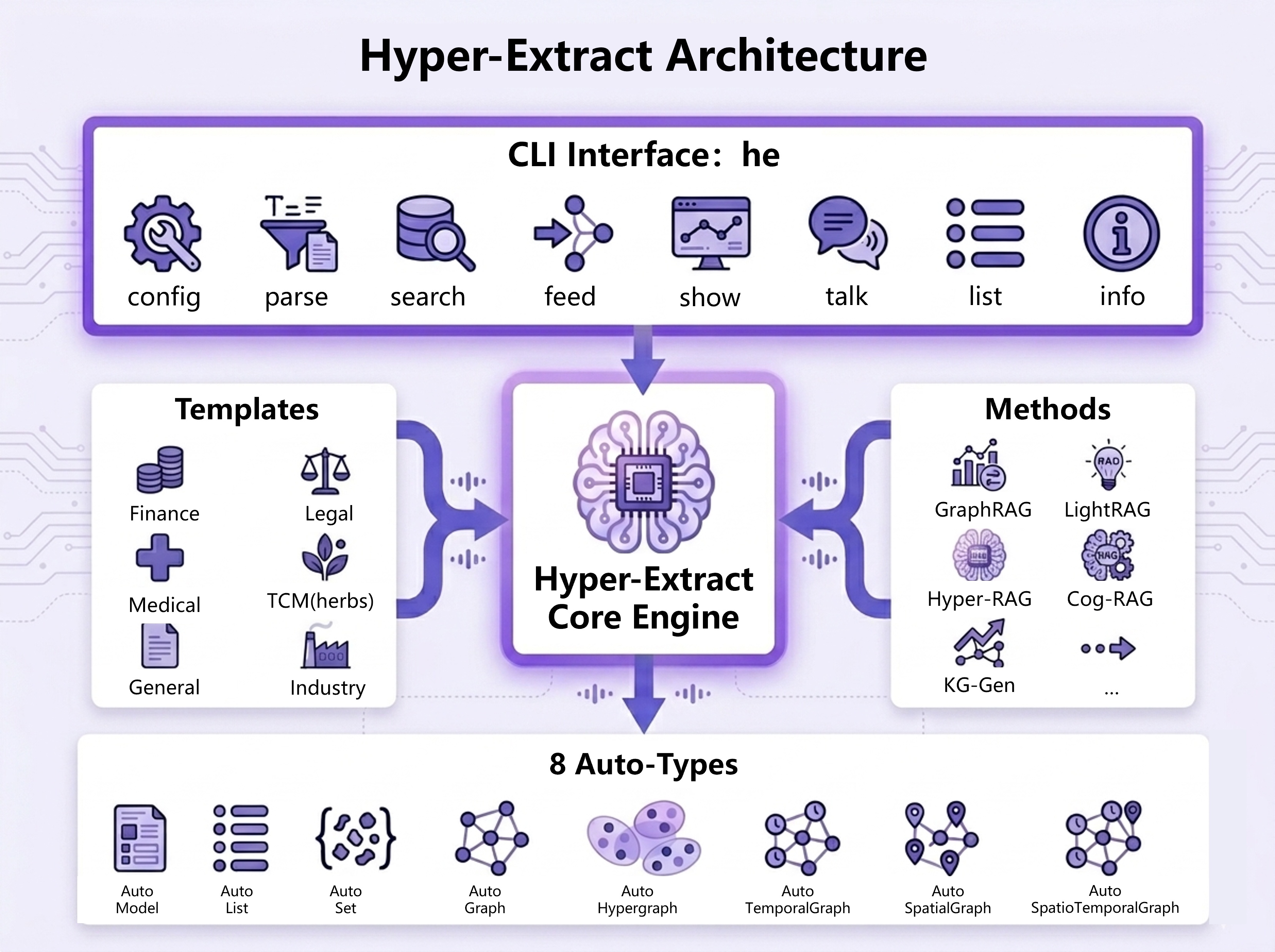
Under the hood, the library relies on a three-tier architecture.
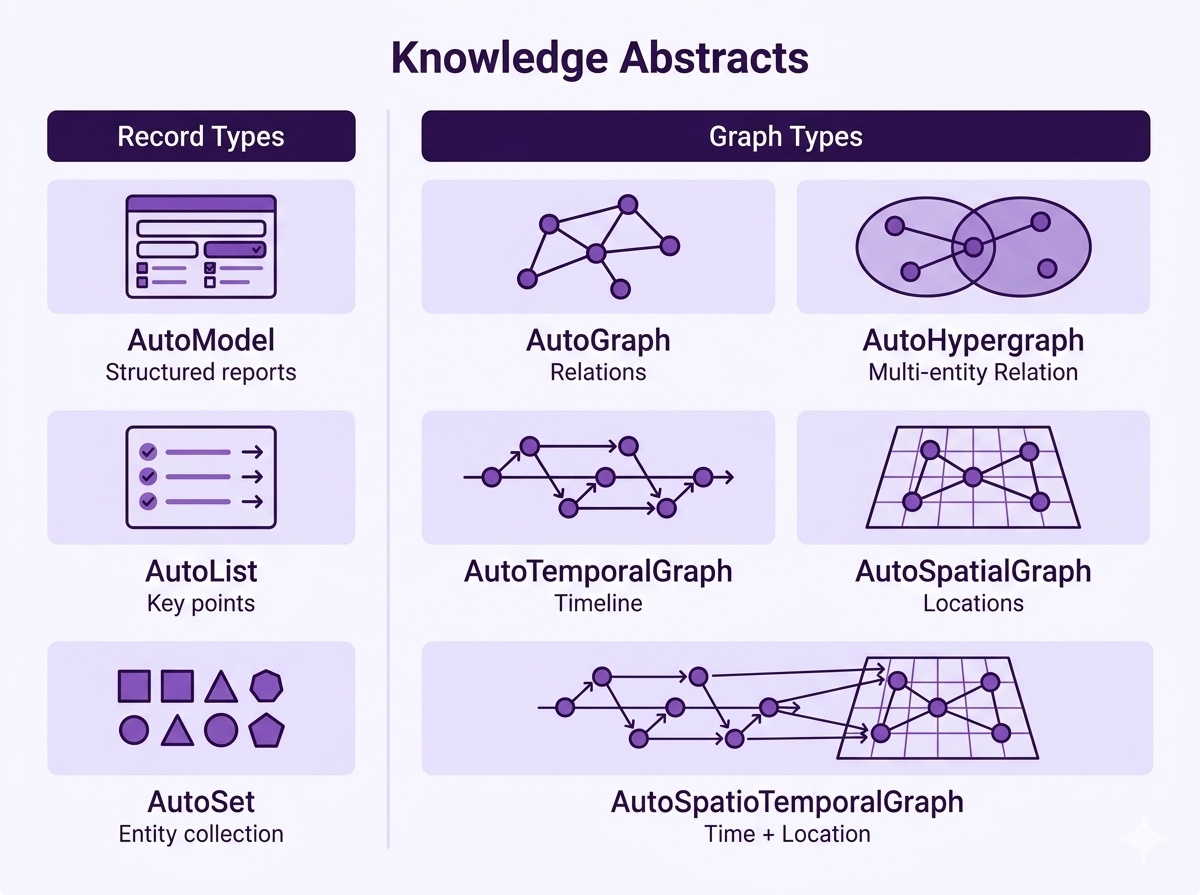
- Eight types of data structures. These include Pydantic models, simple lists, sets, standard knowledge graphs, hypergraphs, as well as temporal and spatiotemporal graphs.
- Extraction algorithms. The framework supports KG-Gen, GraphRAG, LightRAG, Hyper-RAG, and Cog-RAG engines.
- Ready-made templates. The repository contains over 80 pre-made YAML files for different domains: finance, medicine, law, scientific papers.
Templates work without code. You simply take a ready-made preset and specify which fields and relationship types to extract. For example, for a relationship graph, the template looks like a standard YAML manifest with entity (entities) and relationship (relations) definitions:
language: en
name: Knowledge Graph
type: graph
tags: [general]
description: 'Extract entities and their relationships.'
output:
  entities:
    fields:
    - name: name
      type: str
    - name: type
      type: str
    - name: description
      type: str
  relations:
    fields:
    - name: source
      type: str
    - name: target
      type: str
    - name: type
      type: str
identifiers:
  entity_id: name
  relation_id: '{source}|{type}|{target}'
Getting Started in a Couple Minutes
The utility installs via a modern package manager uv in literally one command:
uv tool install hyperextract
Next, you need to configure a model provider. The utility works with OpenAI, Anthropic Claude, DeepSeek, Alibaba Cloud Bailian, and local vLLM instances.
If you're using DeepSeek or Claude, keep one detail in mind: they don't have their own embedding API, so for vector search, you'll need to configure the embedding model separately (for example, through an OpenAI-compatible endpoint):
# Настройка для связки DeepSeek + OpenAI Embeddings
he config llm -p deepseek -k YOUR_DEEPSEEK_API_KEY
he config embedder -p openai -k YOUR_OPENAI_API_KEY
For fully local operation without sending data externally, you can spin up vLLM with models like Qwen and bge-m3:
he config llm -p vllm -u http://localhost:8000/v1 -k dummy -m Qwen/Qwen3.5-9B
he config embedder -p vllm -u http://localhost:8001/v1 -k dummy -m BAAI/bge-m3
When the configuration is ready, start parsing the document:
# Извлекаем граф связей из биографии
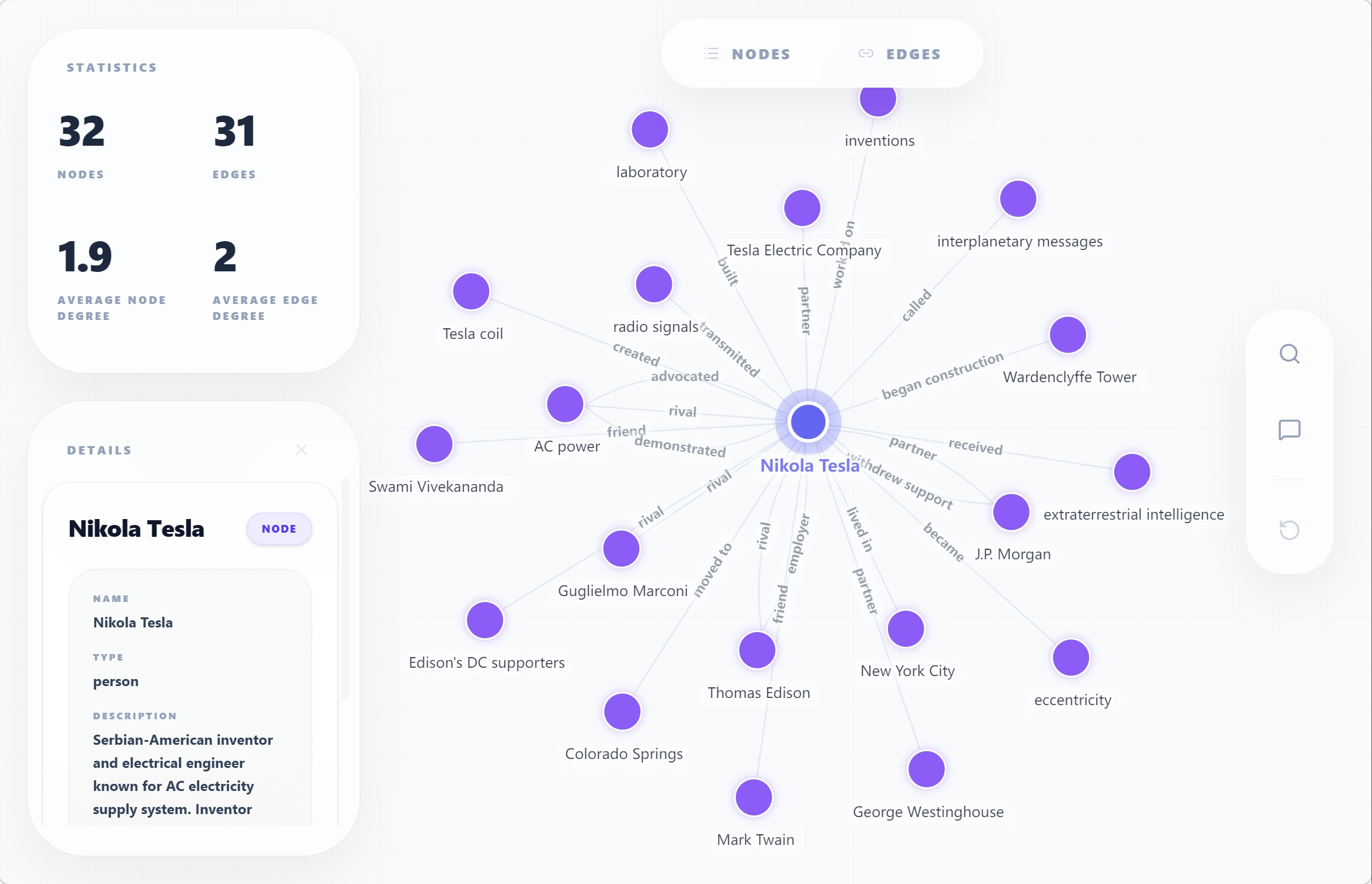
he parse examples/en/tesla.md -t general/biography_graph -o ./output/ -l en

# Делаем семантический поиск по собранной базе
he search ./output/ "What are Tesla's major achievements?"

# Запускаем интерактивную визуализацию графа прямо в браузере
he show ./output/
As a result of running the he show command, an interactive interface is generated where you can explore the resulting nodes and relationships.
If you're writing in Python, you can call parsing programmatically through the Template class:
from hyperextract import Template

ka = Template.create("general/biography_graph")

with open("examples/en/tesla.md") as f:
    result = ka.parse(f.read())

result.show()
Nice Features
Recently, the project added a couple of handy integrations that set it apart from ordinary parsing scripts.
First, export to Obsidian. With a single command he export obsidian ./output/ -o ./vault/, the graph turns into a set of Markdown notes linked together via standard [[вики-ссылки]]. This is a lifesaver for those who maintain a knowledge base in Obsidian and don't want to transfer entities manually.
Second, a built-in MCP server (Model Context Protocol). By running the he-mcp command, you open access to your knowledge base for Claude Desktop or IDE agents. They can call search, run RAG, and fetch context directly through the standard protocol.
Third, incremental updates. If you have a new document, you don't need to rebuild the graph from scratch. Just feed the new file into the existing directory, and the database will be supplemented with new nodes.
Who This Project Is For
The tool will suit developers building complex pipelines over corporate documents and tired of fighting LLM hallucinations in unstructured responses. It's also useful for analysts and researchers for quickly digitizing hundreds of PDF pages into a comprehensible structure.
The repository is neatly organized, has clear documentation, and uses the Apache 2.0 license. If you're looking for a way to bring order to working with knowledge graphs and RAG, try Hyper-Extract on a couple of your own documents. You can view the code and templates in the project's GitHub repository.
Related projects