How to Give Your AI Agent Internet Access Without Breaking the Bank on API Keys
Sound familiar? You're setting up another AI agent or writing a Claude Code-based script, and suddenly you need to search the web for information. It seems simple enough — just grab ready-made APIs like Tavily or Exa. But the moment your agent gets into a loop of "search — read — refine," the bill starts growing faster than your confidence in the results. And then there are those endless API keys you need to store and renew.
Recently I stumbled upon wigolo. It's a tool that turns your computer into a full-fledged web intelligence node for AI. The main highlight is its local-first approach. All searching, parsing, caching, and even local ranking happen right on your machine. No paid subscriptions and no sending your data (except the actual queries to search engines) to third parties.

What's Inside This Powerhouse
wigolo isn't just a search wrapper. It's a full server running the MCP (Model Context Protocol). If you use Cursor, Claude Code, or Windsurf, you know how convenient it is to plug in new "skills." wigolo gives your agent ten powerful tools.
The most interesting part starts with the search function. It doesn't just hit a single search engine — it uses 18 adapters for different engines, blends the results, and does ML ranking right on your CPU. The output gives your agent not just links, but "evidence" — text snippets with precise byte coordinates in the source.
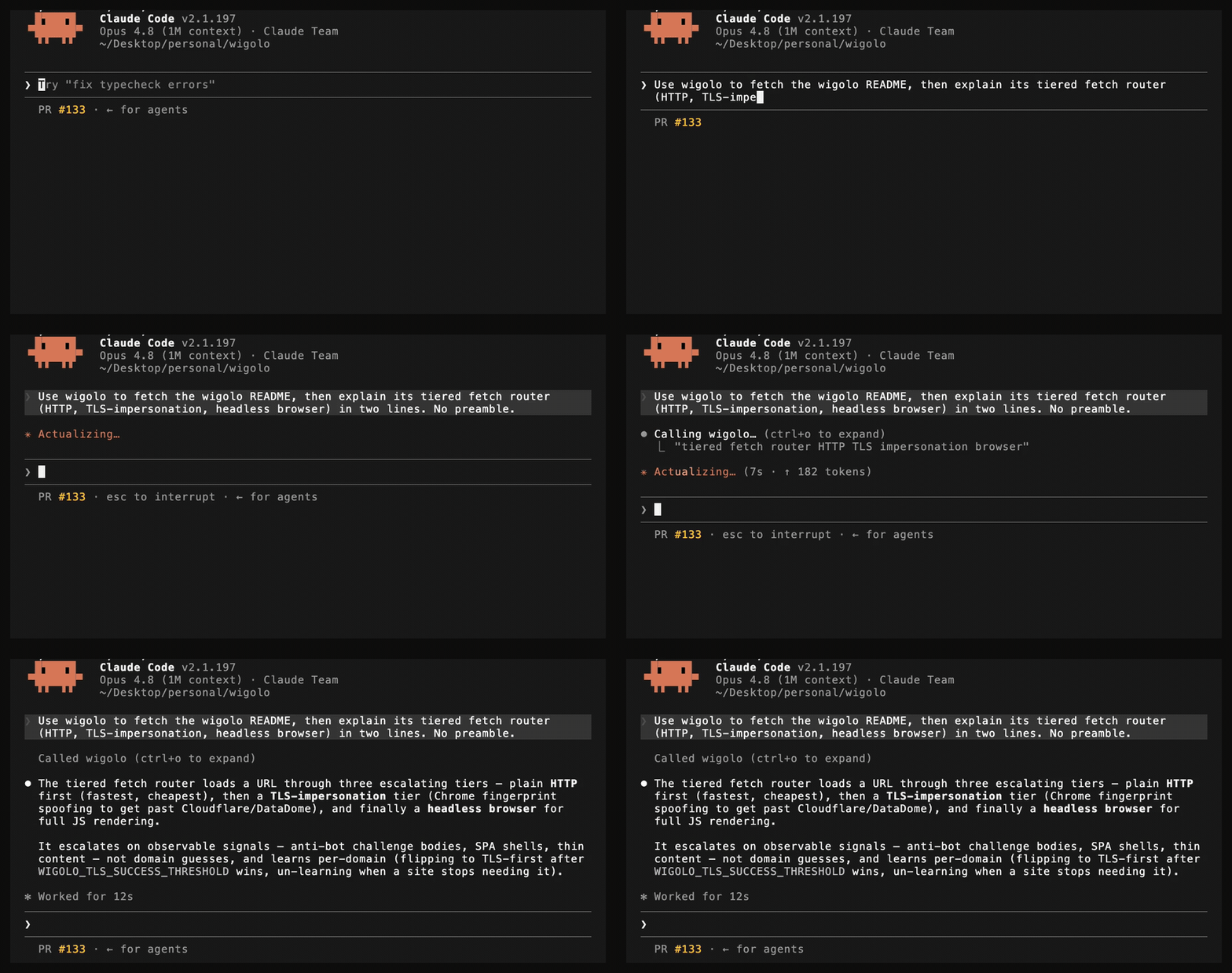
Then there's fetch. If you've ever tried parsing a modern React SPA or ran into Cloudflare, you'll understand developers' pain. wigolo can "smartly" escalate access: it first tries a regular HTTP request, and if it sees a placeholder or empty JS skeleton — it spins up a headless browser and pulls clean Markdown.
Five Features That Won Me Over
Instead of describing every button, I've highlighted what really changes the workflow.
- Autonomous data collection agent. The
agenttool kicks off a "plan — search — extract — synthesize" loop. You set a time budget and data schema, and wigolo decides how many pages to crawl to deliver structured JSON. - Parallel search through arrays. You can pass an array of queries instead of a single string. wigolo processes them in parallel, filters duplicates, and gives you the big picture. For deep research, this is many times faster than shuttling an agent back and forth.
- Local memory. Everything you've ever searched or parsed gets stored in
~/.wigolo/. The next time you ask about something similar, the tool first checks the cache. It's instant and completely free. - Structured extraction. The
extracttool understands JSON-LD, tables, and metadata. You can feed it your own JSON Schema, and it pulls data from HTML markup chaos in exactly the format your application needs. - Change monitoring. The
diffandwatchfunctions let you track specific pages. As soon as something changes on a documentation site or project blog, wigolo generates a report and can send it to your webhook.
Under the Hood
The project is built on Node.js. The architecture is pretty straightforward: one process acts as an MCP server or REST API. Heavy components like the browser engine or embedding models load lazily. This means if you're just searching text, you don't need to wait for a massive neural network to spin up in memory.
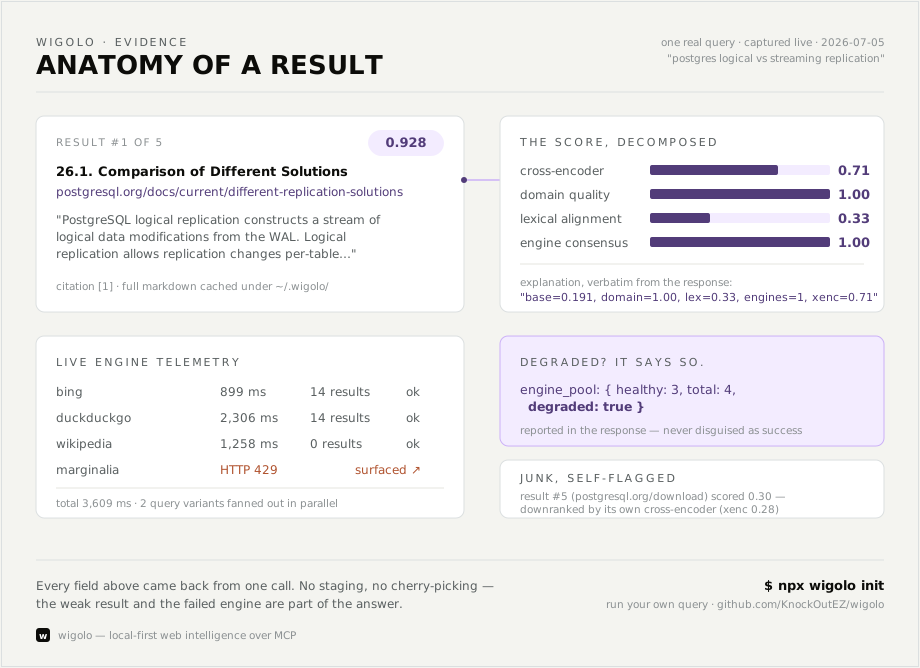
The learning mechanism is cleverly implemented: wigolo remembers which sites need "heavy" browser-based parsing and which ones serve data via a regular GET request. Over time, the system starts working more efficiently, not wasting resources where they're not needed.
Getting Started
Installation is surprisingly simple for such a complex tool. You just need Node.js version 20 or higher. One command bridges to your favorite editor:
npx wigolo init --agents=cursor,claude-code
The script downloads the necessary models and writes the configs automatically. If you don't trust the automation, there's a --wizard mode with an interactive terminal interface. For those who want to use wigolo as a service in their backend, there's a Docker image and SDKs for Python and TypeScript.
By the way, even though the project positions itself as completely free and key-free, the developer recommends adding a free Gemini key. This is only needed for the research function so the LLM can write the final report based on the facts found. Without the key, you'll get a pile of structured data that your main agent will have to process.
Who Benefits Most
I see three scenarios where wigolo really wins against cloud competitors.
First, local development. If you write code in Cursor and constantly google documentation or StackOverflow errors, wigolo will save you a ton of money on API calls and make search contextual.
Second, routine automation. If you need to monitor prices, job listings, or library updates, combining wigolo watch with a simple Python server will solve the problem in an evening.
Third, privacy. If you're working on a project with strict NDA, sending internal page content to third-party parsing services is a bad idea. In wigolo, all data stays on your disk.
The project is currently in public beta. Documentation is excellent, and the repository has plenty of examples — from simple curl scripts to LangChain and n8n integrations. If you frequently experiment with AI agents, this tool is definitely worth the 1.5 GB of disk space and half an hour of testing time.
Related projects